How to delete a client in Worthy.
Last updated: September 21, 2026
Deleting a client is a two-step process: first you archive them, then you permanently delete them.
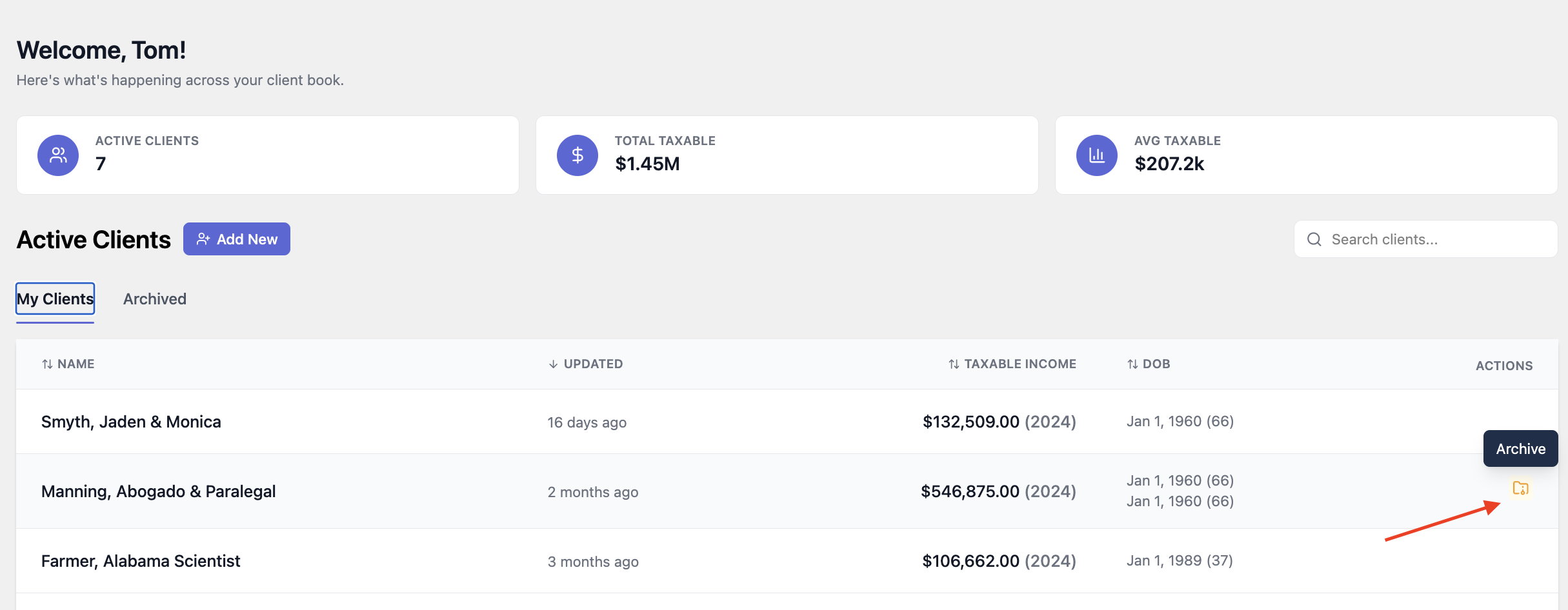
Step 1: Archive the Client
From your All Clients page, locate the client you want to remove. In the rightmost column, click the Archive option for that client.
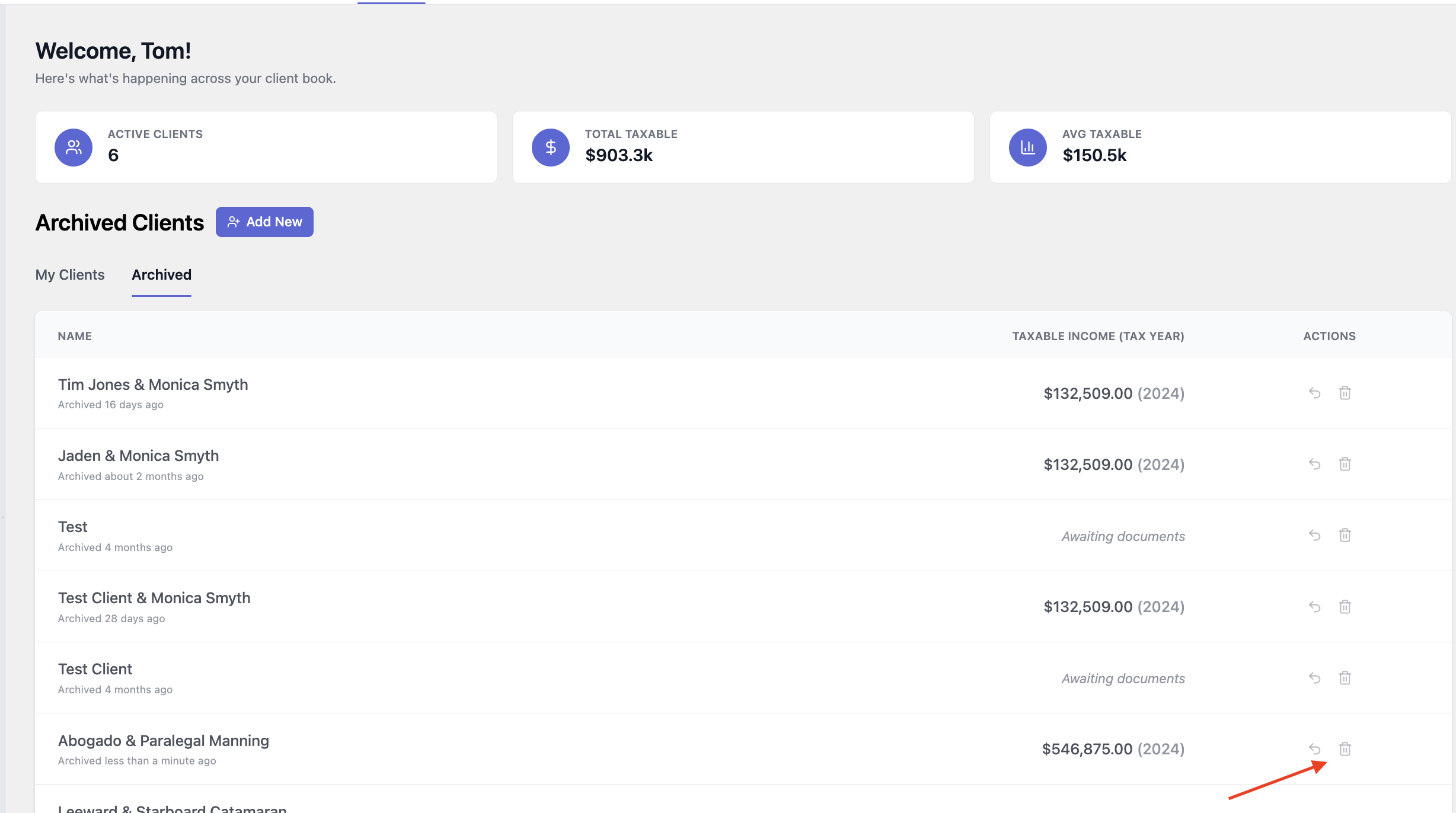
Step 2: Permanently Delete the Client
Once archived, scroll to the bottom of your client list to find the Archived Clients section. Locate the client there and click the trash icon to permanently delete them.
If you have any additional questions, please reach out to us at hello@withworthy.com.