Create a new client by uploading a tax form
Last updated: September 30, 2026
In Worthy, every client profile starts with a tax form. Once you upload it, Worthy reads the document, organizes the information, and builds out the profile for you. Here's how to add a new client.
Step 1: Upload the client's tax form
From your home dashboard, click the Add New Client button. Grab the tax form from your device and upload it.
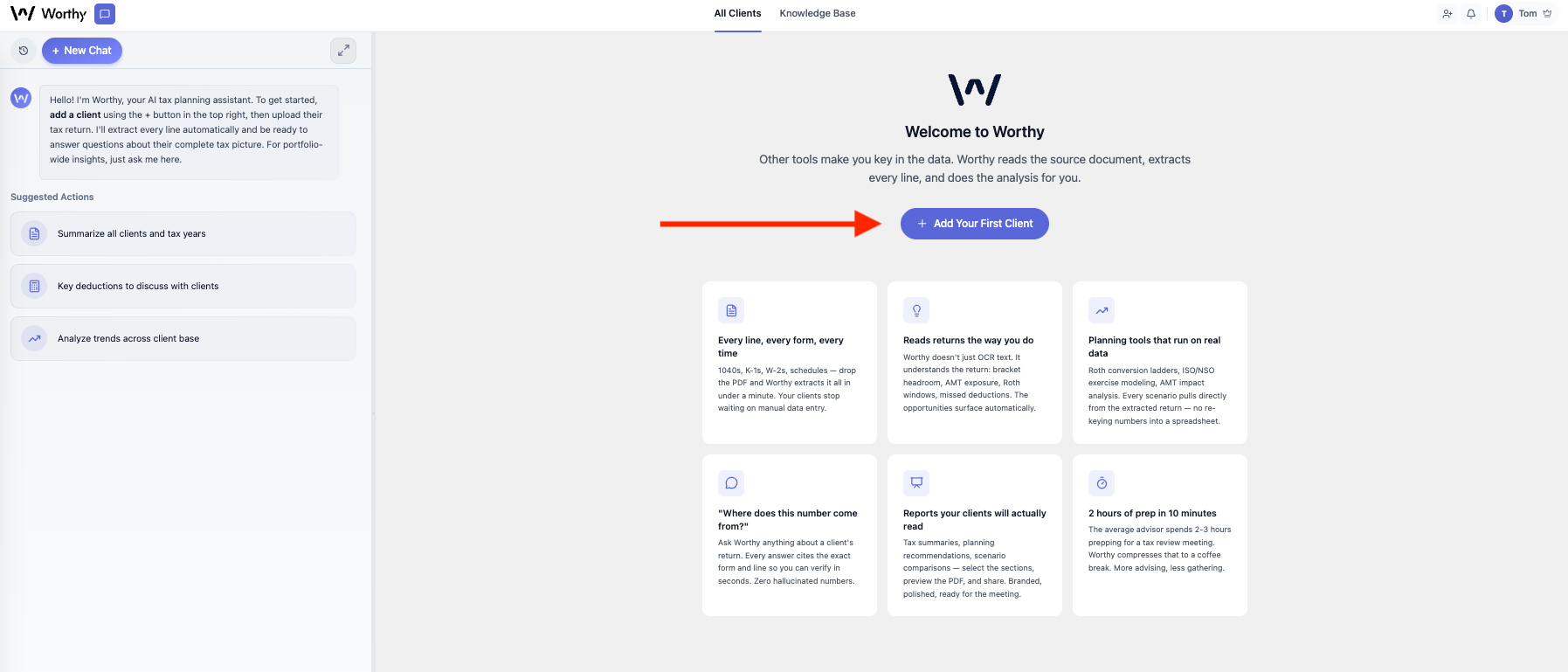
Step 2: Let Worthy build the profile
Worthy reads the entire document, organizes the information, and builds out the client profile. This process takes anywhere from 45 seconds to 3 minutes, depending on the file size.
Step 3: Confirm the client's details and save
Once Worthy finishes processing, review and confirm:
Client name
Date of birth — important for running tax scenarios, but can be skipped if you don't have it on hand.
State — the state the client files taxes in.
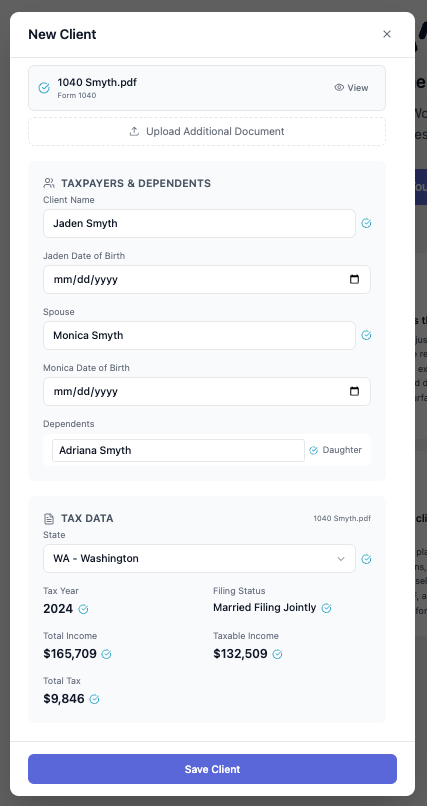
When everything looks right, click Save.
That's it — the client profile is built out, and you can start asking Worthy about this client and running scenarios!
Have Client's Upload Their Tax Forms Directly
Worthy also gives you the ability to send a link to your client's and have them upload their tax forms directly. Read our article about Client Direct Uploads here.
If any questions come up, reach out at hello@withworthy.com.