How To Make A Client Private in Worthy
Last updated: September 30, 2026
Context
We know that client confidentiality is at the heart of every advisor relationship, and that some client situations call for an extra layer of discretion. Worthy makes it easy to keep a client's information visible only to you.
When you mark a client private in Worthy, no one else will be able to see that client — including your CST members and your Firm Admin accounts. The client and all of their data remain fully accessible to you, but they are hidden from everyone else on your firm's account.
How to Mark a Client Private
From your home dashboard, click on the client you want to mark private.
Click on "Actions" in the upper right corner.
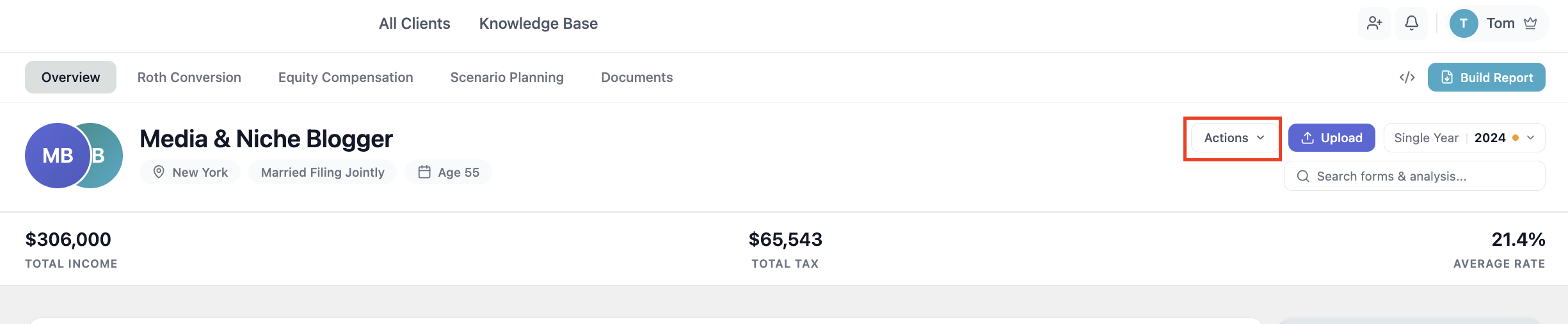
Click on "Make Private."
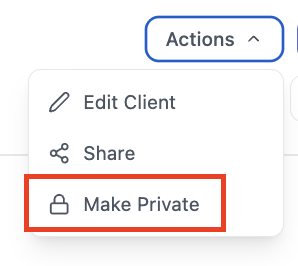
Once the client has been made private, they will only be visible to you. Your CST members will not see this client, nor will any of your Firm Admins.
While a client is marked private, the "Share" action will be disabled.
Making a Client Visible Again
To return a private client to normal visibility, click on "Actions" and then click "Make Visible." The client will once again be visible to your CST members and Firm Admins, and the "Share" action will be re-enabled.
Important Notes
A private client is visible only to the advisor who marked them private — they are hidden from CST members and Firm Admins.
The "Share" action is automatically disabled while a client is private.
Making a client private does not affect your own access to the client's data or insights in any way.
You can reverse this at any time using the "Make Visible" action.
If you have any questions, please reach out to us at hello@withworthy.com.